


June 10, 2025
The Utah Business Owner’s Guide to Passwords, MFA, and Account Security
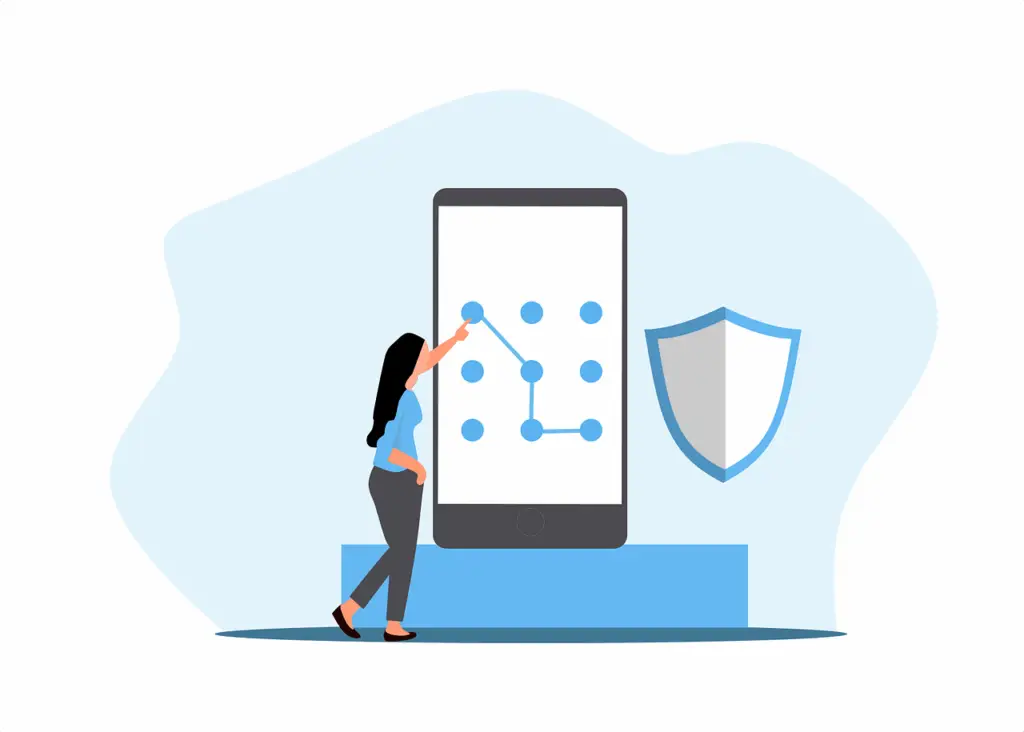
The Utah Business Owner's Guide to Passwords, MFA, and Account Security
Weak passwords are still the number one way attackers break into business accounts. Here's how to lock things down without making your team's life miserable.
- ✓Over 80% of data breaches involve stolen or weak credentials — passwords are still the front door for most attacks
- ✓Password managers eliminate the biggest security gap in most small businesses: password reuse across accounts
- ✓Multi-factor authentication (MFA) stops 99.9% of automated credential attacks, even if a password is compromised
- ✓A practical rollout plan can get your entire team on MFA and a password manager within a single week
Here’s a stat that should keep every business owner up at night: the most common password used in corporate environments is still “123456.” The second most common is “password.” And the third? “Qwerty123.”
If you’re running a business along the Wasatch Front and your team picks their own passwords without any enforcement policy, there’s a very good chance at least one of your accounts is protected by something an attacker could guess in under a second.
Why Passwords Still Matter This Much
With all the sophisticated attacks in the news — AI-powered phishing, zero-day exploits, nation-state hackers — it’s easy to forget that the vast majority of breaches still start with a stolen or weak password. Verizon’s Data Breach Investigations Report consistently puts credential theft at the top of the list, year after year.
Attackers don’t need to be sophisticated when businesses make it easy. They use a technique called credential stuffing: take the billions of username-password pairs leaked from past breaches, and try them against Microsoft 365, banking portals, and business applications. Since most people reuse passwords across personal and work accounts, this works far more often than it should.
Then there’s password spraying — trying a small number of extremely common passwords (like “Winter2025!” or “Company123”) against every account in an organization. It’s slow enough to avoid lockout thresholds but effective enough to almost always find at least one weak account.
What a Strong Password Policy Actually Looks Like
Forget the old rules about requiring uppercase, lowercase, numbers, and symbols in an 8-character password. That approach leads to predictable patterns like “Company1!” that pass complexity rules but are trivially easy to crack.
Modern guidance from NIST (the National Institute of Standards and Technology) recommends a different approach:
Length over complexity. A 16-character passphrase like “correct-horse-battery-staple” is dramatically harder to crack than “P@ssw0rd!” — and easier to remember. Encourage your team to use phrases, not puzzles.
Never reuse passwords. Every account gets a unique password. Period. This is the single most important rule, because it means a breach at one service doesn’t cascade to every other account your employee uses.
Check against known breaches. Tools like Have I Been Pwned can check whether a password has already appeared in a data breach. If it has, it’s compromised — no matter how complex it looks.
Password Managers: The Tool That Makes All of This Possible
Nobody can remember 50+ unique, 16-character passwords. That’s not a realistic expectation. A password manager solves this by generating and storing strong, unique passwords for every account, locked behind a single master password.
For businesses, we recommend enterprise-grade password managers like Keeper, 1Password Business, or Bitwarden. These offer:
- Centralized admin controls — you can enforce policies, see who’s using weak passwords, and revoke access when someone leaves
- Secure sharing — teams can share credentials for shared accounts without anyone seeing the actual password
- Breach monitoring — automatic alerts when an employee’s credentials appear in a known data leak
- Autofill — works in browsers and apps, so there’s minimal friction for your team
The cost is typically $4-8 per user per month. For a 25-person Utah business, that’s roughly $100-200/month to eliminate your single biggest security vulnerability. It’s one of the highest-ROI security investments you can make.
When rolling out a password manager, start with your leadership team and IT-adjacent staff. Once they’re comfortable, bring on the rest of the company department by department. Trying to switch everyone at once usually creates resistance.
Multi-Factor Authentication: Your Safety Net
Even with perfect passwords, accounts can still be compromised through phishing or data breaches at third-party services. That’s where multi-factor authentication (MFA) comes in.
MFA requires a second verification step beyond your password — typically a code from an authenticator app, a push notification to your phone, or a physical security key. Microsoft’s own data shows MFA blocks 99.9% of automated credential attacks.
For Utah businesses running Microsoft 365 (which is most of you), enabling MFA is straightforward and free — it’s built into every M365 plan. The question isn’t whether to enable it; it’s how to roll it out smoothly.
MFA Implementation Tips for Small Businesses
Use authenticator apps, not SMS. Text message codes can be intercepted through SIM swapping attacks. Microsoft Authenticator or Google Authenticator are more secure and work even without cell service.
Set up backup methods. Every user should have at least two MFA methods configured — for example, an authenticator app and a backup phone number. This prevents lockouts when someone gets a new phone.
Communicate the “why” before the rollout. People resist MFA when it feels like an arbitrary IT mandate. Explain that it’s protecting their accounts and their data — and that it adds about 10 seconds to their login process.
Start with admin and high-privilege accounts. These are the accounts attackers want most. Enable MFA for all administrators first, then expand to the full organization over 1-2 weeks.
If your business handles healthcare data (HIPAA), financial information, or government contracts, MFA isn’t optional — it’s a compliance requirement. Many cyber insurance policies also require MFA as a condition of coverage.
The One-Week Rollout Plan
Here’s a realistic timeline for locking down your accounts:
Monday-Tuesday: Choose and deploy a password manager. Enroll leadership and IT staff. Run a baseline audit of existing password health.
Wednesday-Thursday: Enable MFA on all admin accounts. Configure conditional access policies in Microsoft 365 (block logins from unusual locations, require MFA for new devices).
Friday: Company-wide rollout. Send a clear, concise email explaining the changes. Provide a 5-minute video walkthrough. Have IT available for questions.
Following week: Follow up with anyone who hasn’t enrolled. Run a password health report from your password manager and flag any remaining weak or reused passwords.
Get Your Accounts Locked Down
At Brivy IT, we roll out password managers and MFA for Utah businesses every week. It’s one of the fastest, most impactful security improvements any company can make — and it doesn’t require a huge budget or a dedicated IT team. If you’re not sure where your account security stands, reach out for a free security assessment. We’ll audit your current setup and build a rollout plan that works for your team.
Strengthen Your Account Security
Brivy IT helps Utah businesses implement password managers, MFA, and identity security — from initial setup to ongoing management.
How Secure Are Your Business Accounts?
We'll run a free credential audit and show you exactly where your vulnerabilities are. No obligation.
Request a Free AssessmentStart the conversation with a free 10-minute consultation
Let’s discuss IT strategy, services, and business solutions & compliance concerns.
Unified Technology Solutions For Your Business
Follow us
Copyright © 2026 Brivy LLC
