


March 24, 2026
Ubiquiti U7 Pro XGS Review: We Installed It — Here’s What Happened to Our WiFi Speeds
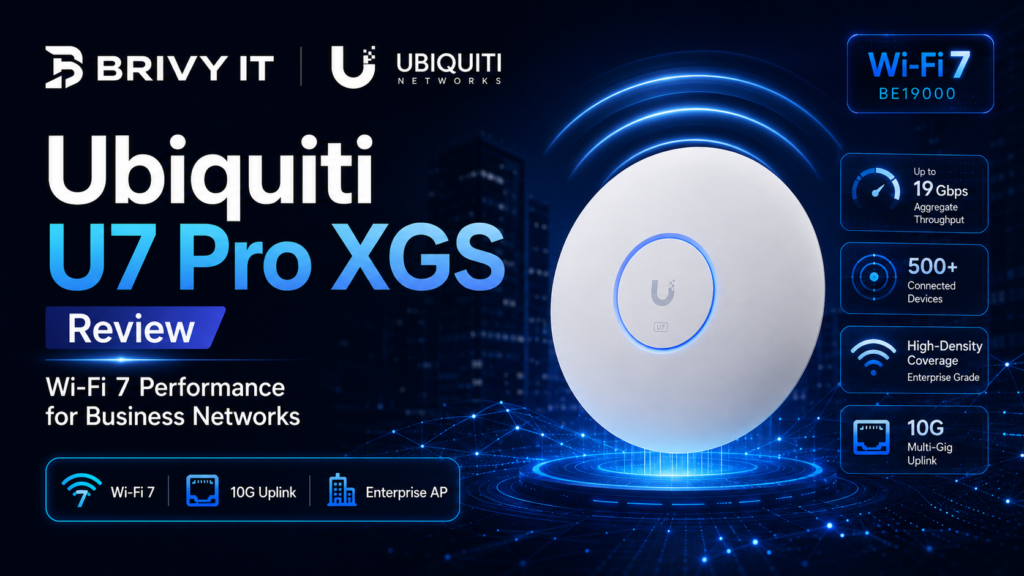
Ubiquiti U7 Pro XGS Review: We Installed It — Here's What Happened to Our WiFi Speeds
We deployed the U7 Pro XGS for clients and in our own office. WiFi 7 with a 10GbE uplink changes everything — and we have the speed tests to prove it.
- ✓The U7 Pro XGS delivers true multi-gig wireless speeds thanks to its 10 Gigabit Ethernet uplink — eliminating the bottleneck that holds back every other access point.
- ✓WiFi 7 tri-band performance with MLO and 320 MHz channels means real-world speeds above 2 Gbps in ideal conditions.
- ✓UniFi's management platform makes deploying and monitoring multiple APs across sites painless — even for multi-location Utah businesses.
- ✓At roughly $400, it is not cheap — but for businesses that need serious wireless performance, the value proposition crushes Meraki and Aruba alternatives that cost twice as much or more.
We Finally Installed WiFi 7 Access Points — And They Delivered
Our team has deployed hundreds of Ubiquiti access points across Utah businesses over the years. UniFi U6 Pros, U6 Lites, U6 Enterprises — we know the product line inside and out. So when Ubiquiti released the U7 Pro XGS with WiFi 7 and a 10 Gigabit Ethernet uplink, we did not just read the spec sheet. We bought a batch, installed them for clients, put one in our own office, and ran every test we could think of.
Here is what we found: this is the access point we have been waiting for. Not because WiFi 7 is some magic bullet, but because Ubiquiti finally solved the backhaul problem that has been quietly throttling wireless performance for years.
The Specs That Matter
The U7 Pro XGS is a tri-band WiFi 7 (802.11be) access point with simultaneous 6 GHz, 5 GHz, and 2.4 GHz radios. It supports 320 MHz channel widths on the 6 GHz band, Multi-Link Operation (MLO), and 4096-QAM modulation. Ubiquiti rates the aggregate throughput at over 11 Gbps across all bands.
But the headline feature — the one that actually matters in practice — is the 10 Gigabit Ethernet uplink. Most enterprise access points, even WiFi 7 models, ship with 1 GbE or 2.5 GbE uplinks. That means no matter how fast your wireless radio is, you are funneling all that traffic through a straw. The U7 Pro XGS has a 10GbE port that lets the AP actually deliver on its wireless promises.
It also includes a secondary 1 GbE port for management or daisy-chaining, and it draws power via 802.3bt PoE++ (up to 30W required).
Real-World Deployment: What We Actually Saw
We deployed U7 Pro XGS units in three environments: a 15-person professional services office in Lehi, a medical clinic in Orem with high device density, and our own workspace. All installations were connected to 10GbE switches with Cat6A cabling.
Here are the numbers we recorded using iPerf3 and Ookla Speedtest across multiple client devices:
Those are real numbers from real offices — not lab conditions. A single WiFi 7 client on the 6 GHz band with a clear channel pulled over 2 Gbps consistently. Even with a dozen devices connected, the average throughput stayed well above 1 Gbps. Clients running older WiFi 6 or 6E hardware still saw substantial performance gains because the AP was not congested at the uplink.
That last point is crucial. Even if none of your devices support WiFi 7 yet, the 10GbE uplink means the AP does not choke when twenty devices are all pulling data simultaneously. The backhaul headroom matters today, not just in the future.
How It Compares to Previous Ubiquiti Models
We ran side-by-side comparisons in the same environment:
The U6 Pro (WiFi 6, 1 GbE uplink) maxed out around 700-800 Mbps aggregate and became a bottleneck with more than 8-10 active devices. It is still a solid AP for small offices, but the ceiling is low.
The U6 Enterprise (WiFi 6E, 2.5 GbE uplink) was a big step up — we saw real speeds around 1.2-1.4 Gbps peak and much better performance with dense clients. But that 2.5 GbE uplink still caps things.
The U7 Pro XGS blew past both. The 10GbE uplink means the AP is almost never the bottleneck. In multi-client scenarios, the difference was dramatic — the U7 Pro XGS maintained per-client speeds that the U6 Enterprise could only dream of under load.
The Competitive Landscape: Meraki, Aruba, and the Price Question
Let us talk about the elephant in the room. Cisco Meraki’s MR57 and HPE Aruba’s 630 series offer WiFi 7 as well. They are excellent access points. They also cost $1,500 to $2,500 per unit — and require annual licensing fees on top of that.
The U7 Pro XGS runs approximately $400 with no recurring license. The UniFi management platform — UniFi Network Application — is free. You can self-host the controller or use Ubiquiti’s cloud option. For a 10-AP deployment, you are looking at roughly $4,000 versus $15,000-$25,000 for comparable Meraki or Aruba setups. That is not a rounding error. That is a budget line item that lets a Utah small business invest in something else.
The U7 Pro XGS requires a 10GbE switch port and Cat6A cabling to unlock its full potential. If your infrastructure is still running Cat5e to 1GbE switches, factor in the cost of a network refresh. Our team at Brivy IT can assess your cabling and switching infrastructure before deployment so there are no surprises.
UniFi Management: Still the Best Value in the Industry
One thing that keeps us recommending Ubiquiti for Utah businesses is the UniFi management ecosystem. A single pane of glass for all your APs, switches, gateways, and cameras — with no per-device licensing. For businesses with multiple Utah locations, UniFi’s site management features make it simple to monitor and configure everything remotely.
The latest UniFi Network Application (version 8.x) has matured significantly. Traffic analytics, client insights, RF environment scanning, and automatic channel optimization all work well. Is it as polished as Meraki Dashboard? Not quite. But it is 95 percent of the way there at zero recurring cost.
Who Should Buy the U7 Pro XGS
This AP is ideal for businesses with 20 or more wireless clients per AP, anyone doing large file transfers over WiFi (creative agencies, engineering firms, medical imaging), offices running bandwidth-heavy cloud applications, and organizations planning infrastructure that will last 5-plus years.
It is overkill for a 5-person office with basic web browsing and email needs. For those environments, the U6 Pro or U7 Pro (non-XGS, with a 2.5 GbE uplink) makes more financial sense.
Our Honest Take
We do not say this lightly: the Ubiquiti U7 Pro XGS is the best value in enterprise wireless networking right now. WiFi 7 is real, the 10GbE uplink solves a problem that has plagued access points for years, and the UniFi ecosystem keeps total cost of ownership far below the competition. We are fans, and we are deploying these for every client whose infrastructure can support them.
If you are a Utah business looking to upgrade your wireless network, our team at Brivy IT has hands-on experience with the U7 Pro XGS and the full UniFi ecosystem. We will design, install, and manage a wireless network that actually performs. Get in touch with us to start the conversation.
Ubiquiti U7 Pro XGS FAQ
Upgrade Your Business WiFi with Brivy IT
From site surveys to full deployment, our team designs and manages wireless networks that actually perform. Let us show you what the U7 Pro XGS can do for your business.
Ready to Experience Multi-Gig WiFi?
Our team has deployed the U7 Pro XGS across Utah businesses and we know how to get the most out of it. Let's talk about your wireless network.
Schedule a ConsultationRelated Articles
Start the conversation with a free 10-minute consultation
Let’s discuss IT strategy, services, and business solutions & compliance concerns.

Unified Technology Solutions For Your Business
Follow us
Copyright © 2024 Brivy LLC
