
- IT Services
- Cybersecurity
- Physical Security
- Pro AV
- Telecom
- Industries
- Automotive Dealerships
- Hospitality
- Financial Services
- Healthcare
- Manufacturing
- Legal
- Insurance
- Education
- Real Estate & Property Management
- Restaurants & Food Service
- Construction
- Retail
- Nonprofits
- Government & Public Sector
- Professional Services
- Houses of Worship
- Transportation & Logistics
- Dental Practices
- Veterinary Clinics
- Multi-Location Businesses
- Warehousing & Distribution
- Resources

March 4, 2026
Apple’s M5 MacBook Pro Lineup: What Utah Businesses Need to Know About the M5, M5 Pro, and M5 Max
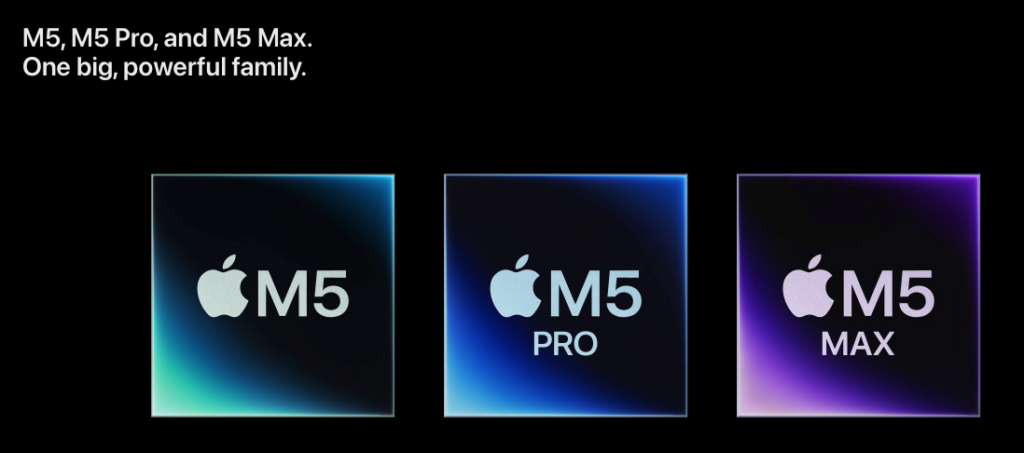
Apple's M5 MacBook Pro Lineup: What Utah Businesses Need to Know About the M5, M5 Pro, and M5 Max
Apple just announced the M5 Pro and M5 Max — completing the most powerful MacBook Pro lineup ever. Here's what matters for your business, what's actually new, and whether it's time to upgrade your team's hardware.
- ✓Apple's M5 Pro and M5 Max MacBook Pros were announced March 3, 2026 — pre-orders open March 4, availability March 11
- ✓The new Fusion Architecture delivers up to 4x faster AI performance and 30% faster CPU performance vs. M4 Pro/Max
- ✓M5 Pro starts at $2,199 (14-inch) with 1TB storage standard — M5 Max starts at $3,599 with up to 128GB unified memory
- ✓Thunderbolt 5, Wi-Fi 7, and Bluetooth 6 are now standard on M5 Pro and M5 Max models
- ✓If your team runs local AI models, video production, or 3D rendering workflows, the M5 Pro/Max performance gains are substantial — for general business use, M4-era machines are still excellent
Apple completed its M5 chip family today with the announcement of the M5 Pro and M5 Max MacBook Pro models — joining the base M5 chip that debuted in October 2025. For businesses evaluating hardware refreshes, fleet upgrades, or individual power-user purchases, here’s the full picture of what’s new and what it means.
What Actually Changed: The Fusion Architecture
The headline engineering story is Apple’s new Fusion Architecture — a design that connects two dies into a single system on a chip. This isn’t a marketing rebrand; it’s a fundamental change in how the Pro and Max chips are built. The result is a new 18-core CPU featuring six “super cores” (Apple’s fastest CPU core ever) alongside twelve performance cores optimized for multithreaded workloads.
The GPU gets Neural Accelerators built into each core, which is why AI workload performance jumps so dramatically — up to 4x faster peak GPU compute for AI compared to M4 Pro and M4 Max.
M5 Pro: The Business Workhorse
For most business users — consultants, developers, creative professionals, and anyone running demanding workflows — the M5 Pro is the sweet spot. Here’s what you get:
CPU: Up to 18-core CPU (6 super cores + 12 performance cores) GPU: Up to 20-core GPU with Neural Accelerators Memory: Up to 64GB unified memory with 307GB/s bandwidth Storage: Starts at 1TB (configurable up to 4TB) Connectivity: Three Thunderbolt 5 ports (120Gb/s), Wi-Fi 7, Bluetooth 6 Display: Up to 2 external displaysThe performance gains that matter for business workflows: 3.9x faster LLM prompt processing vs. M4 Pro, 1.4x faster 3D rendering, and 1.6x faster gaming-class GPU performance (relevant for GPU-accelerated applications beyond gaming).
The 14-inch M5 Pro starts at $2,199 ($2,049 education). The 16-inch M5 Pro starts at $2,699 ($2,499 education). Both configurations now include 1TB storage standard — a meaningful upgrade from previous base configurations.
M5 Max: For the Most Demanding Workflows
The M5 Max is built for video editors working in 8K, 3D artists, machine learning engineers, and anyone whose daily workflow involves datasets or renders that max out available memory and GPU.
CPU: 18-core CPU (same architecture as M5 Pro) GPU: Up to 40-core GPU Memory: Up to 128GB unified memory with 614GB/s bandwidth Storage: Starts at 2TB, SSD speeds up to 14.5GB/s (2x faster than previous gen) Display: Up to 4 external displaysThe benchmark that stands out: 3.5x faster AI video enhancement (Topaz) vs. M4 Max, and 3x faster video effects in DaVinci Resolve vs. M4 Max. If your creative team is waiting on renders, this is where the ROI calculation gets compelling.
The Base M5: Still a Strong Option
The base M5 chip — available since October 2025 in the 14-inch MacBook Pro — remains an excellent choice for general business use:
CPU: 10-core CPU / 10-core GPU Memory: Up to 32GB unified memory Storage: Starts at 1TB Connectivity: Thunderbolt 4 (not Thunderbolt 5) Price: Starting at $1,699 ($1,599 education)For employees running standard business applications — email, browsers, Microsoft 365, video calls, and light creative work — the base M5 handles everything comfortably. The M5 Pro and Max are for users who will genuinely use the additional GPU and memory.
What’s the Same (and That’s Fine)
This is a chip-generation update, not a full redesign. The chassis, display, keyboard, speakers, and port layout are unchanged from M4-era MacBook Pros. That’s not a criticism — the current design is excellent:
- Liquid Retina XDR display — 1600 nits peak HDR, 120Hz ProMotion, nano-texture option
- 12MP Center Stage camera with Desk View
- Six-speaker system with Spatial Audio and Dolby Atmos
- Up to 24 hours of battery life
- MagSafe 3 with fast-charge (50% in 30 minutes)
- HDMI, SDXC, headphone jack — all still present
Bloomberg’s Mark Gurman has reported that the M6 generation (expected 2027) will bring the next major design change — OLED displays, thinner chassis, and camera changes. If physical design matters to your purchasing decision, that’s worth noting.
Ships with macOS Tahoe — Apple’s latest OS featuring the new Liquid Glass design, enhanced Spotlight with AI-powered actions, Live Translation across Messages and FaceTime, and the Phone app for Mac with cellular relay from your iPhone.
The Business Decision: Should You Upgrade?
Here’s our honest take on who should be looking at this and who can wait:
Upgrade now if:- Your team runs local AI/LLM workloads — the 4x AI performance gain is real and immediately productive
- You have video production or 3D rendering workflows where render time directly impacts billable hours
- You’re still on M1 or Intel MacBooks — the performance gap is now 6–8x, which is transformational
- Your team needs Thunderbolt 5 for high-bandwidth peripherals, external storage, or eGPU workflows
- You’re provisioning machines for new hires — buying current-gen makes sense for 3–4 year lifecycle
- Your team is on M3 or M4 MacBooks and doing general business work — the incremental improvement doesn’t justify the spend
- You’re waiting for the design refresh (OLED, thinner chassis) expected with M6
- Your team primarily uses cloud-based tools — a MacBook Air or base M5 handles this well at lower cost
Pricing Summary
Frequently Asked Questions
Planning a Hardware Refresh?
Brivy IT helps Utah businesses with device procurement, fleet management, MDM configuration, and ongoing IT support — Mac and PC.
Need Help Planning Your Team's Next Hardware Upgrade?
Brivy IT manages Mac and PC fleets for Utah businesses. We'll help you pick the right configurations, handle procurement, and get everything enrolled and secured.
Schedule a Free IT ConsultationStart the conversation with a free 10-minute consultation
Let’s discuss IT strategy, services, and business solutions & compliance concerns.
Unified Technology Solutions For Your Business
Follow us
Copyright © 2024 Brivy LLC
